Choose what your assistant knows.
Golden Gate tells the AI assistant you chat with what you have been building in Claude Code, Codex and OpenCode. It sends redacted summaries of the projects you pick to your own Golden Gate Bridge server, and nothing else.
Every project, and what happens to it.
Open Golden Gate in your terminal with goldengate. Find a project, share it with space, read exactly what would leave with p, then review and send with s.
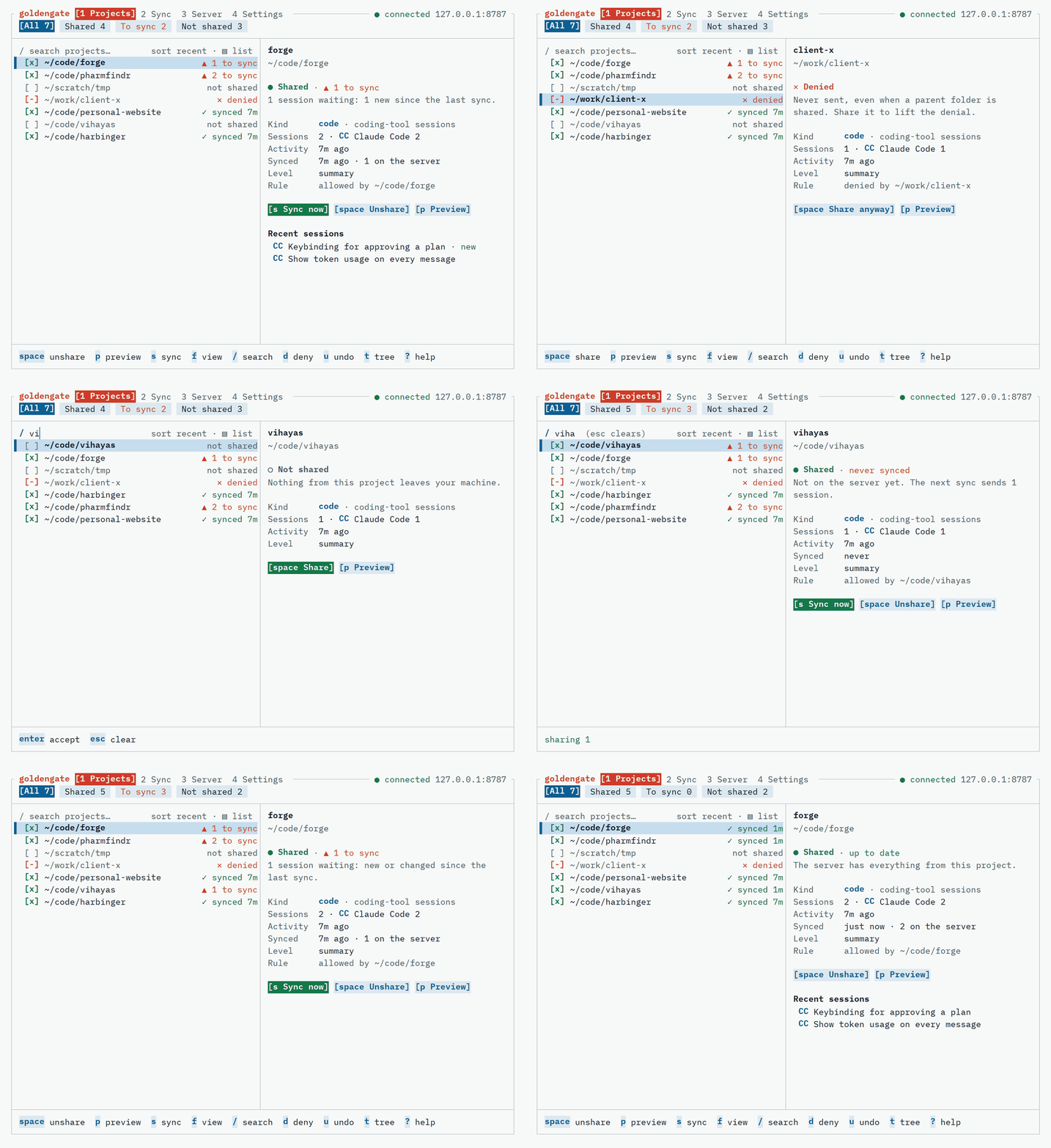
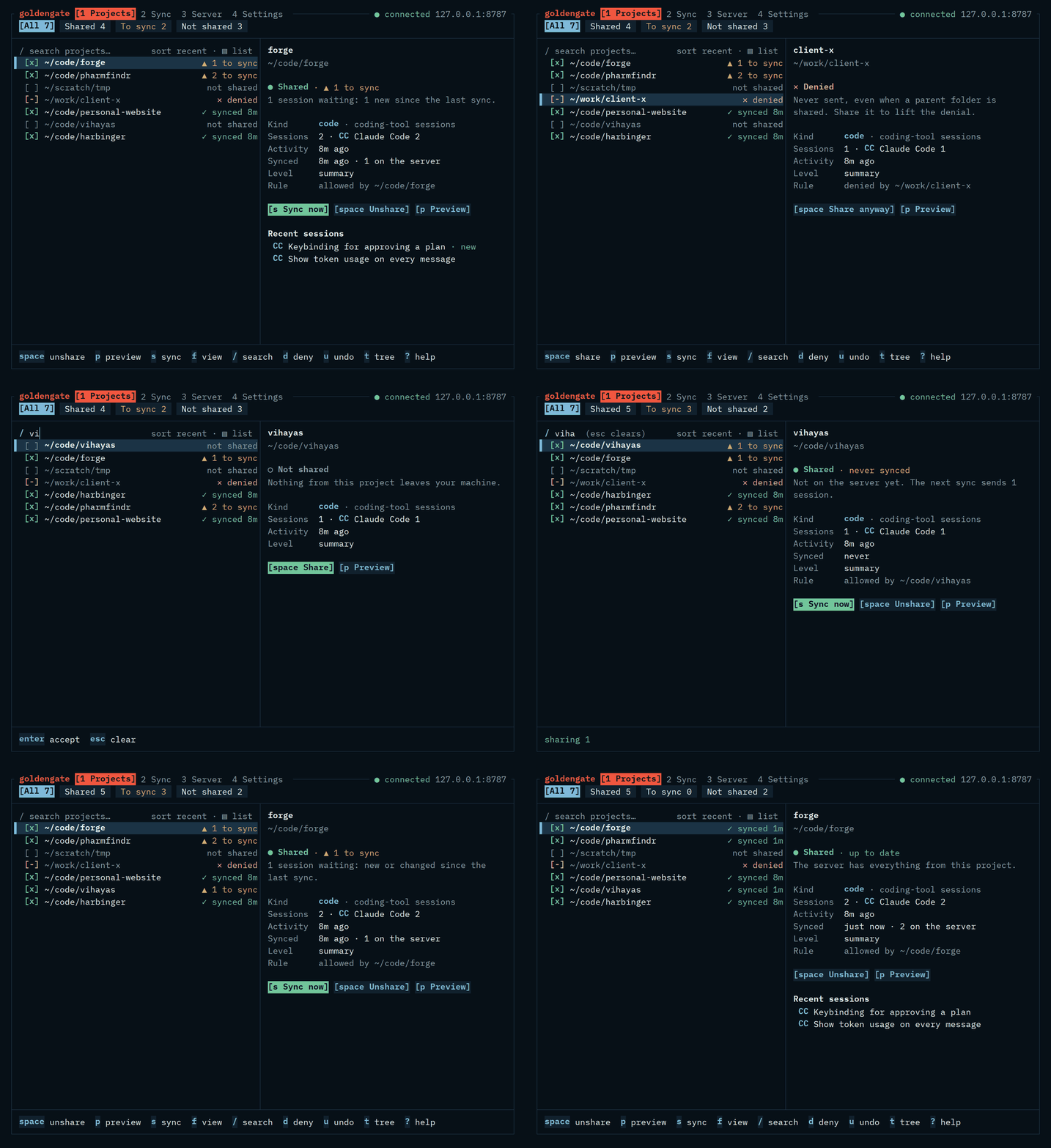
[x]Shared[ ]Not shared[~]Some tools shared[-]Denied▲ 33 sessions to sync
Two programs, one direction.
Golden Gate runs on your laptop and Golden Gate Bridge runs on your server. Data only moves from one to the other: the bridge never reaches into your machine, and every payload leaves through one function that checks it first.
- 01
Golden Gate
On your laptopReads your coding tools' history, read-only. Only projects you picked go further.
- 02
Redact and summarize
Still on your laptopSecrets and paths are scrubbed before and after a local summary.
key: AKIAZ7Q3M5XK2PLR9WTE[REDACTED:aws-access-key] - 03
Golden Gate Bridge
On your serverA small server you run. No hosted service, no telemetry.
- 04
Your assistant
Gemini, ChatGPT, ClaudeReads over MCP with a read-only token you can revoke.
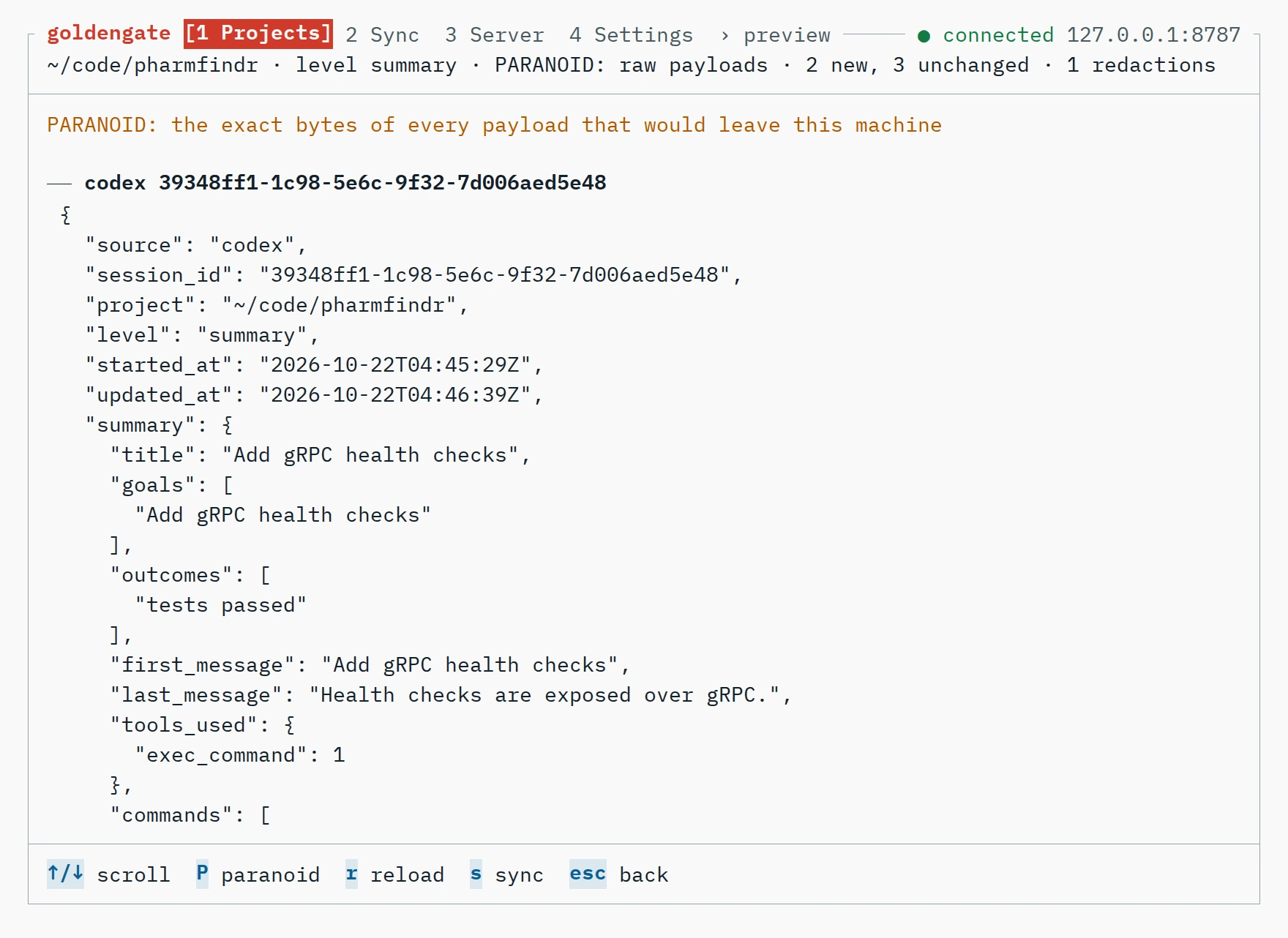
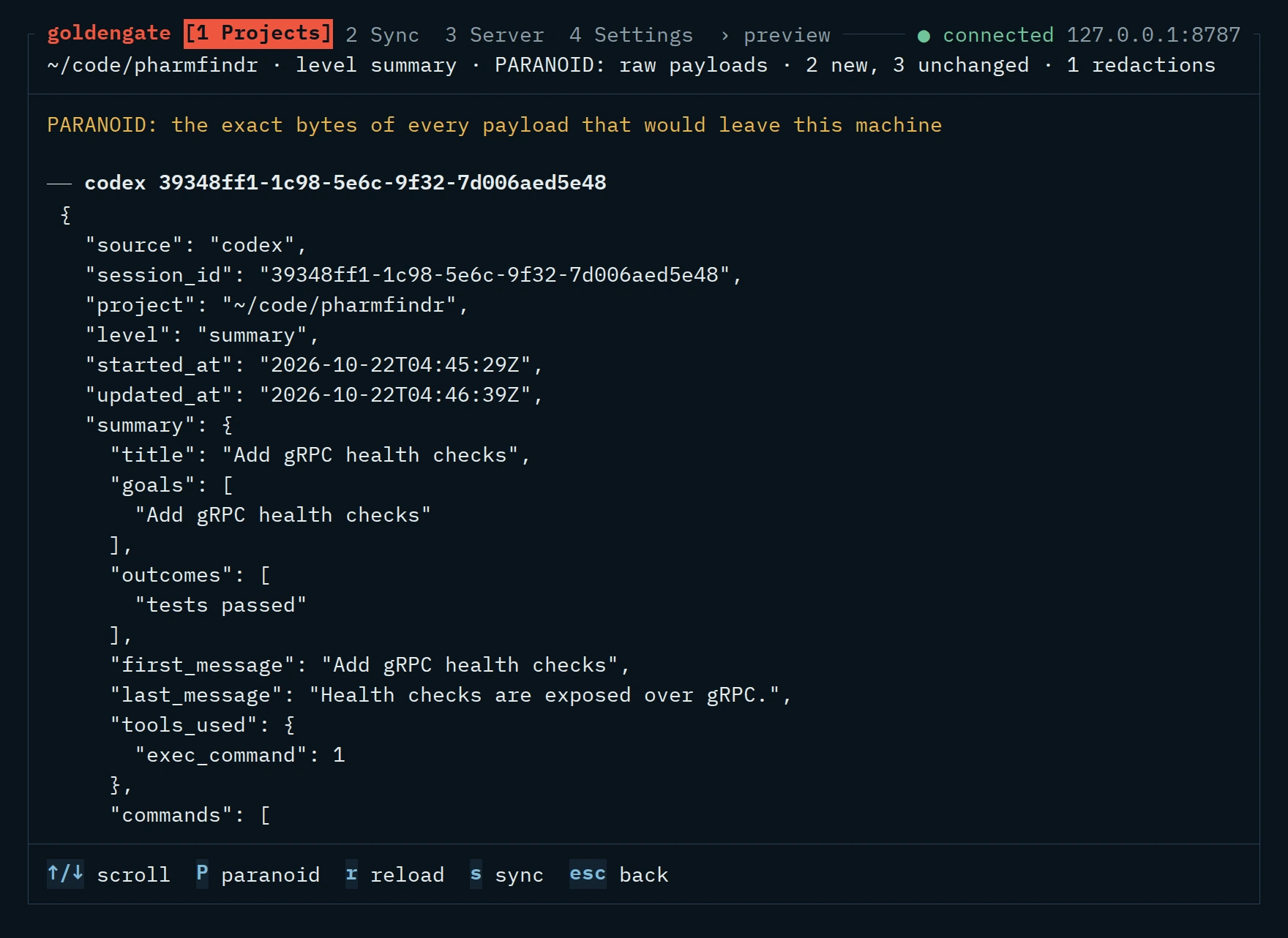
The preview is the payload.
Before anything leaves, you can read it. goldengate sync --dry-run prints the same thing.
What it is for.
Your assistant can answer questions about your own recent work, because it can read the summaries on your Golden Gate Bridge server.
A weekly review in one question
Ask what you worked on this week and get an answer across every project and every coding tool.
Pick up where you left off
The goals, recent sessions and open threads of a project, without scrolling old chats.
Find what is still open
Pull requests opened but never confirmed merged, and commits that were only mentioned.
Find the session you half remember
Search your past work by what it was about, then open that one session.
See all use cases, or the nine MCP tools the assistant reads with.
Nothing is shared until you pick it.
Nothing leaves until you pick it
New projects stay on your machine, and a deny rule always beats an allow rule.
Redacted twice
Secrets and paths are scrubbed before and after summarizing. Best effort, so the preview is always there to read.
A token that can only read
The assistant's token can neither write nor delete, and you can rotate or revoke it at any time.
Read the security model: tokens, the opt-in model summarizer, prompt injection, and what it cannot protect against.
About ten minutes, start to finish.
There are no packaged releases yet. Build both programs, Golden Gate (goldengate) and Golden Gate Bridge (goldengatebridge), with Go 1.26 or later:
go install github.com/divyanshusingh2903/goldengate/cmd/...@latest
- 1
Run Golden Gate Bridge behind HTTPS
export GOLDENGATE_ADMIN_TOKEN="$(openssl rand -base64 32)"
goldengatebridge serve --addr :8080 --behind-tls-proxy --db /data/bridge.db
- 2
Connect Golden Gate on your laptop
goldengate init --server https://bridge.example.com
- 3
Pick a project, look, then send
goldengate share add ~/code/myproject
goldengate sync --dry-run
goldengate sync
- 4
Point your assistant at it
https://bridge.example.com/mcp
Authorization: Bearer <read token>
Your assistant only supports OAuth? Start the server with --oauth --public-url and approve the connection with your admin secret. The README has every option.
Sources
- CCClaude Code
~/.claude/projects/**.jsonl - CXCodex CLI and desktop
~/.codex/sessions/**/rollout-*.jsonl - OCOpenCode
its SQLite database, read-only - AIclaude.ai export
goldengate import-claude-ai export.zip - GPTChatGPT export
goldengate import-chatgpt export.zip
Roadmap
- DoneM1 CoreAdapters, local summarizer, redactor, selection rules, dry-run sync
- DoneM2 ServerSQLite store, ingest API, scoped tokens, pairing, MCP over streamable HTTP, audit log
- DoneM3 More sourcesCodex, OpenCode, claude.ai and ChatGPT exports, one project across tools
- DoneM4 TUISetup wizard, project picker, exact preview, two-step sync, server and settings screens
- NextM5 DeployPostgres and Firestore stores, Dockerfile, Cloud Run script, docker compose with Caddy
- LaterM6 ReleaseSigned builds for Linux, macOS and Windows, SBOM, Homebrew tap, finished hardening checklist
The full plan is in DESIGN.md.